

This article was updated on 02/12/2026
A professional website is much more than an online presence — it’s a tool working for your business 24/7. It’s where people decide if they trust you, understand what you do, and take the next step. And when you set out to build a professional website, every detail matters: the message at the top of the page, the structure behind the scenes, the mobile experience, the performance, and even the server it lives on.
A “professional” site isn’t just pretty. It’s clear, functional, user-friendly, and built to grow. Let’s walk through the key elements that make that happen — without turning this into a checklist marathon.
The high-level roadmap (the quick version)
If you want the short version of how to build a professional website that drives real growth:
- Set the foundation: define your goals and brand identity upfront, because a website without purpose is like a house built without a foundation.
- Pick the right ingredients: secure a simple domain and use quality hosting so your site is credible, secure, and reliable.
- Prioritize performance: mobile-first design and fast load times keep people from bouncing before they even read a word.
- Guide the journey: structure matters — for users and search engines — so navigation and SEO need to work together.
- Keep the engine running: treat your website like a car — ongoing maintenance keeps it fast, secure, and effective long-term.
Now let’s break that down step-by-step.
10 Strategic Goals for a High-Converting Website
1. Develop your brand identity
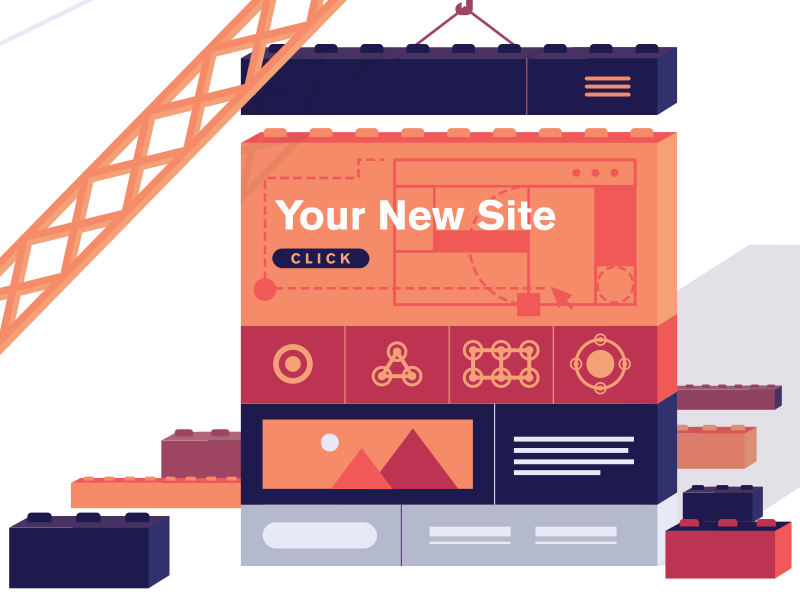
If your website was a house—you’re gonna need to set the foundation before you begin building it. And developing a brand identity is crucial for doing exactly that. This is the best way to begin creating a professional website that resonates with your target audience. Branding guidelines simplify design since they solve a lot of questions before a pixel hits the screen. Just like a house with no foundation, a website that lacks a brand identity is doomed for trouble down the road.
The Halo Effect
In psychology, the Halo Effect is a bias where our overall impression of a person (or brand) influences how we feel and think about their character. If your website looks professional, cohesive, and “on brand,” users subconsciously assume your services are professional too. A brand identity encompasses the visual and tonal elements that define your brand, including your logo, color palette, typography, and tone of voice.
To develop a brand identity, you’ll need to follow the branding process: start by defining your brand’s mission, values, and unique value proposition. Then, create a brand style guide that outlines the usage of your brand’s visual elements. Consistency is key. It will help you differentiate your brand from competitors and establish a strong online presence that feels like a singular, trustworthy entity.
2. Establish clear goals and purpose
Before you touch design, content, or tools, define what your website is supposed to do. Is your goal to drive traffic? Collect emails? Book calls? Sell products? Act as a sales tool that supports your marketing?
This matters because your goal becomes the filter for every decision: what pages you need, what content should live at the top, what features are worth paying for, and what’s just noise.
Your site can serve a lot of functions: branding, sales support, customer service, e-commerce, and education but if you don’t pick the primary goal, your visitors end up doing the job of figuring it out… and they won’t.
The psychology of intent
When someone lands on your site, they’re quickly scanning for a solution. If your purpose is buried under generic “Welcome” language, you increase cognitive load — the mental work it takes to understand what’s going on. If your purpose is clear in the hero section (the top of the homepage), you lower the user’s “interaction cost,” and it becomes easier for them to say yes. It takes doesn’t take long for someone to bounce if your message and visuals on your landing page are confusing.
Budgeting for impact
It’s also important to be honest about budget. It’s like buying a car — who doesn’t want the fully loaded package? But you may not need every feature on day one. Do you truly need 20 pages, or can you launch with 8–10 strong pages and expand from there? Do you need e-commerce capability when your product is a year away from launch or do you need to create brand awareness now and sell later?
Modern website architecture is open-ended and can scale with your business. The key is making smart choices now that don’t trap you later.

3. Choose a memorable domain name
Your domain name is one of the first points of contact between your business and a potential customer and it quietly influences credibility.
Keep it simple. Match your business name when possible. Avoid hyphens and numbers that introduce typing errors and confusion.
When available, lean toward .com for its widespread recognition and authority. Sure, there are exceptions — .org for nonprofits, .edu for education, .ai/.io for tech signaling — but .com remains the default trust standard for commercial brands. However, if you have the perfect name but need to use a different extension, don’t let that stop you.
Trust signals in the URL
The reason a .com is so powerful is fluency. People prefer things that are easy to remember and easy to process. A short, recognizable domain name acts as a “trust signal.” If a URL looks “weird” or overly long, a user’s internal alarm bells might go off, even if they don’t know why. Prior to settling on a specific domain name, conduct thorough research on existing trademarks to avoid any possible legal challenges.
4. Select the right CMS Framework or Website Builder
There are countless ways to build a professional website — from scratch, using templates, or using a website builder
Each option has pros and cons, and the right choice depends on your goals, your budget, and how much flexibility you’ll need down the road. Templates are often the quickest and most economical path to launch. They give you speed and structure, but customization can hit a ceiling once you’re deep into development. If cost and timeline are the priority, that tradeoff can be totally reasonable.
Website builders can feel more “custom” without building from zero. Platforms like Shopify are excellent for e-commerce when you don’t need total design control and want a system that sells.
Continuity (the part most people don’t think about)
When you build on a proprietary, closed platform, you don’t fully own the foundation — you’re often renting it. If the platform changes direction (or disappears), your options shrink fast.
That’s why we typically recommend WordPress, because it’s open-source. You own your content, and you can move it, rebuild it, expand it, or scale it without being locked into one company’s ecosystem. Additionally, there is a large third-party developer ecosystem with tools to help you construct anything you want with your website.
We use the Divi Builder because it gives you real design control in a visual, real-time editor — one of those modern “no-code” frameworks that keeps custom coding to a minimum while still allowing strong creative flexibility. Quite honestly, the days of manually coding every single page are over. You need a system that evolves with whatever comes down the pike.
The right framework doesn’t just help you launch — it helps you stay stable long-term.

5. Plan your website structure
A well-structured professional website is better for visitors and search engines. Structure is what turns a site into a smooth journey instead of a confusing maze.
Start with a sitemap. It’s basically the roadmap for your site — for humans and for search engine bots. A great rule of thumb: any important page should be reachable within three to four clicks from the homepage.
Also: always keep your CTAs and conversion tools (contact buttons, booking links, quote forms) easy to find and easy to access. If people want to take action, don’t make them hunt – we see people making this mistake a lot. Remember form follows function.
Avoiding decision fatigue
Psychologically, people struggle when given too many choices—this is known as the Paradox of Choice.. If your landing page is overly crowded or your navigation has as many items as the Cheesecake Factory menu, people become frustrated and bounce.
A clear structure with internal links signals to Google which pages are most important, but it also guides the user through a logical “funnel.” Using clear, descriptive menu labels (like “Web Design Services” instead of “What We Do”) helps users quickly understand where they’re going and gives search engines stronger contextual signals about your site’s content.
When in doubt we also fall back to this concept that align’s with Hicks Law: K.I.S.S — Keep it Simple and Straightforward.
6. Design according to your brand and functionality
A professional website doesn’t just look good — it makes sense. It guides people. It removes friction.
That’s why design has to reflect your brand identity and do its job. Graphic Design 101: form follows function. Design is problem-solving, and web design is one big question: How do we create the best experience for the intended audience?
Brand guidelines are the guardrails that keep the design consistent — colors, typography, layout style, photo direction, even the tone of headlines. When those pieces stay aligned, your site feels legit. When they don’t, your site starts to feel random… and random doesn’t convert.
So yes: use great visuals. But use them with purpose. Make the hierarchy clear. Keep pages easy to scan. Don’t make visitors work to find meaning.

Typography and color psychology
Most professional sites should stick to one or two fonts. More than that gets messy fast unless you really know what you’re doing. When in doubt, go with a readable sans-serif with a high x-height — fonts like Open Sans or Montserrat are popular for a reason.
Color plays a psychological role too. Blue can communicate trust and stability. Red can feel energetic and urgent. The goal isn’t to “hack emotions” — it’s to make sure your design supports the way you want people to feel about your brand.
The power of whitespace
Whitespace is the breathing room on your site — the space where there’s nothing. It prevents clutter, creates balance, and makes important elements stand out. It’s what keeps your site from looking like a cheesy billboard.
Thoughtful spacing and hierarchy don’t just improve aesthetics — they improve conversion.
7. Prioritize website usability
A professional website isn’t professional if it isn’t usable. Your design can be sharp, but it won’t matter if the site is confusing, slow, or awkward to interact with.
Think of it like going to a fancy restaurant — if the food is great but the service is slow and the experience is frustrating, you’re unlikely to go back. Same thing online.
Here’s the part people forget: user experience is the driving force behind good design. Not ego. Not “what looks cool.” Not your favorite color. The internet doesn’t reward preferences — it rewards clarity. A website should be built around how real people move, scroll, scan, and decide.
Usability means your site is easy to navigate, easy to understand, and easy to act on. The best websites don’t make users think. They make the next step obvious supported with a webpage speed that does not disrupt the experience.

8. Optimize for mobile devices
Mobile design is no longer optional. Most browsing happens on phones, and Google primarily evaluates your site through the mobile experience. If your website isn’t optimized for mobile your likely sent to the back of the line when it comes to search.
Designing for mobile means designing for the way people actually hold their phones. That’s where the “thumb zone” comes in: buttons should be tap-friendly, spaced properly, and placed where people can reach them without doing finger gymnastics.
Mobile optimization also directly impacts performance. Faster mobile sites reduce bounce rates, improve engagement, and support SEO.
And remember: if your site takes too long to load, mobile users don’t wait. They bounce.
9. Implement SEO best practices with keyword strategy
If you want people to find you, SEO can’t be an afterthought. Start with keyword research: what phrases are people actually typing into Google when they’re looking for what you offer?
From there, use keywords naturally in your headings, page titles, and content — without stuffing. SEO works best when it’s aligned with clarity.
Authority and authority transfer
Internal linking isn’t just helpful navigation — it’s an SEO strategy. When you link from a strong page to another page, you’re essentially telling Google, “This matters too.” That helps indexing and spreads authority across the site.
Consistent publishing helps as well. Fresh, unique, valuable content builds relevance and trust over time — especially when it answers real questions.
10. Always optimize for speed
Speed matters for UX, for conversions, and for SEO. People expect pages to load fast — basically in the blink of an eye.
Web page speed is the ultimate measure of how quickly your web page appears, a factor so vital that search engines use it as a primary signal to rank your site. Utilizing a page speed checker provides a clear roadmap for optimization, evaluating your site’s metrics to ensure you align with modern performance standards.
A fast site keeps users happy, encourages longer sessions, and supports your rankings.
Professional web hosting is critical
A slow server can kneecap performance before you even begin optimizing images or code.
Good hosting improves speed, stability, security, and reliability. Most importantly, user-experience. We recommend Rocket.net because we’ve seen strong performance and consistency. They incorporate Cloudflare Enterprise CDN which has been a game changer for us.
Just remember: hosting can’t fix everything. No platform will magically rescue bloated pages or unoptimized images. But great hosting raises your speed ceiling and gives you more flexibility to build a site that feels fast.
Add engaging content
A successful website is like an engaging conversation. It answers questions, sparks curiosity, and makes people want to keep going.
Strong headlines matter. Clear value matters. And your content should feel like it’s written for humans — because it is.
High-quality assets help too, especially video and strong visuals. Videos provide insight that words alone cannot. According to Forbes magazine, embedding videos in landing pages can increase conversion rates by 80%. And CTAs should be placed naturally throughout the site so visitors don’t have to scroll back up and search for what to do next. get your audience to places you want them to go.
A site with fresh, useful content gives people a reason to come back — and gives search engines a reason to trust you.

Leverage website professionals when it counts
Partnering with web professionals can take your site from “fine” to truly professional — not just in design, but in performance, SEO, and long-term upkeep.
Agencies like Mighty Fine handle the full system: strategy, design, build, hosting, SEO, and maintenance. That frees you up to run your business while your website stays fast, secure, and current.
If you want to build a professional website that scales — and you want it done right — reach out to Mighty Fine Co. and we’ll help you create a site that looks sharp, works hard, and keeps growing with you.